 ChinApps
Put ChinApps on your phone
It opens like an app and works with no signal. Takes a minute.
Already installed. You're reading this inside the app.
Open this page in your browser first. This app can't add icons. Tap its ⋯ menu and choose
Open in Browser.
Use Safari. Other browsers on iPhone can't do this.
1Open the Share menu
Safari looks one of two ways. Use whichever matches your screen.
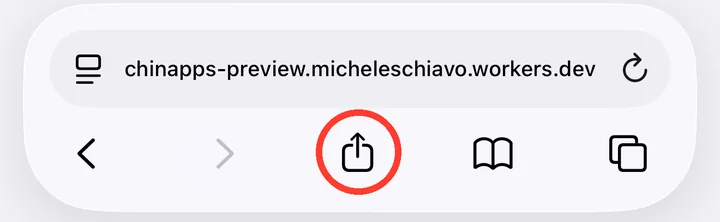
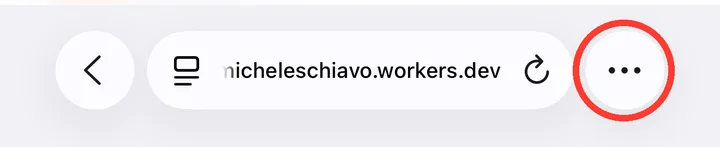
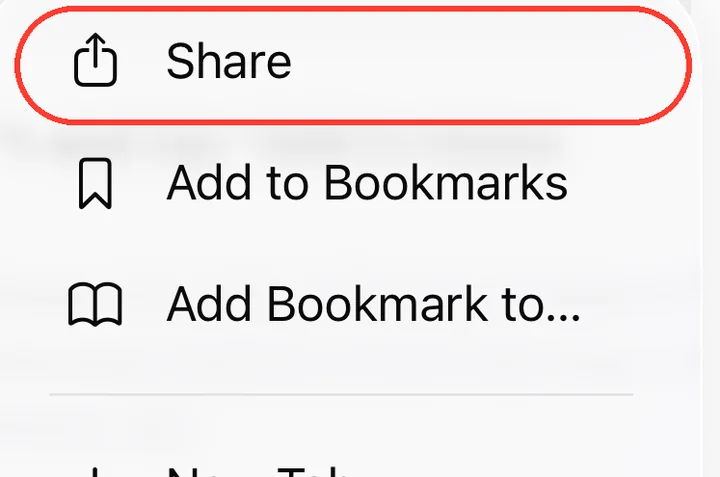
-
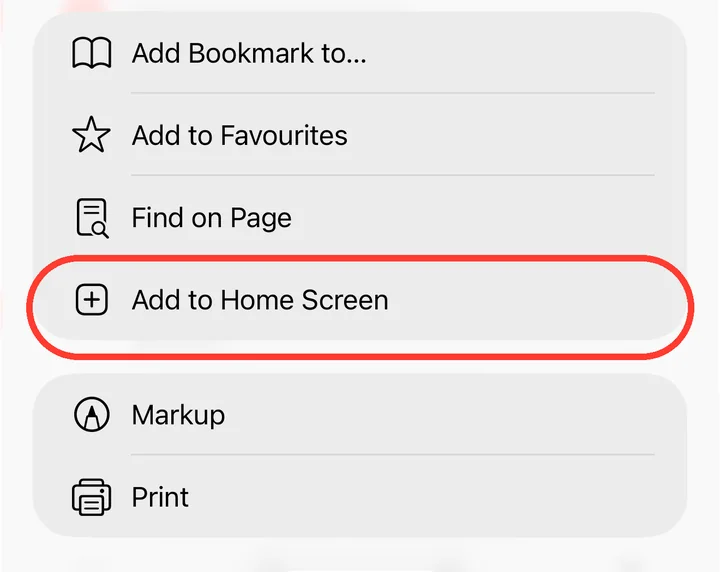
2Tap View More
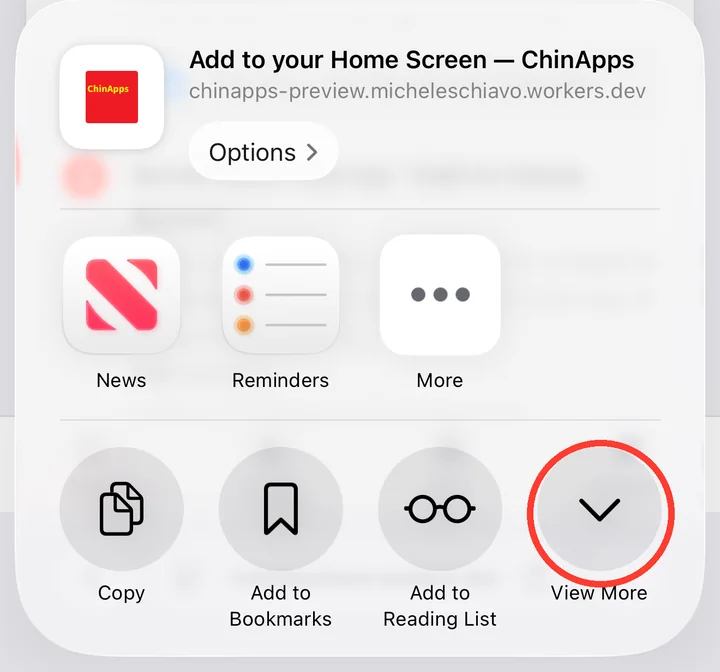
-
3Tap Add to Home Screen
-
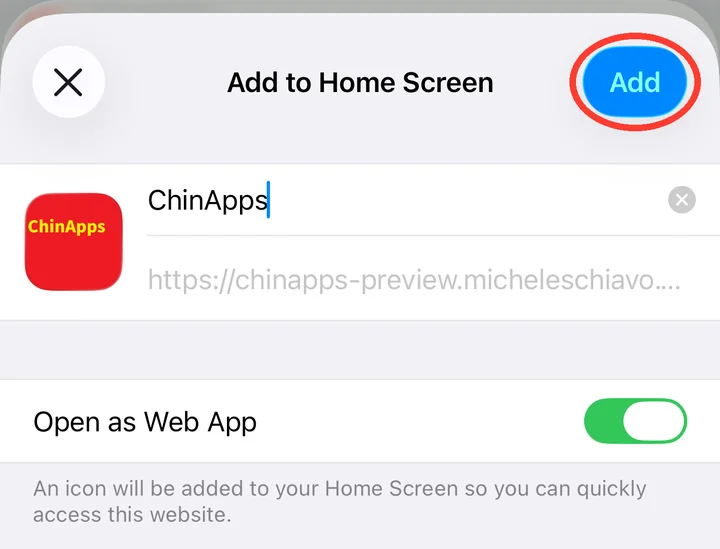
4Leave Open as Web App on, then tap Add
-
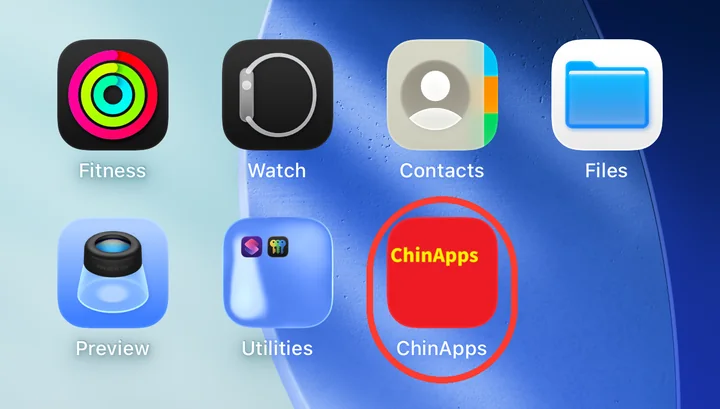
5Done — ChinApps is on your Home Screen
Use Chrome, or your phone's own browser.
A Google Play version of ChinApps is coming soon.
-
1Tap the ⋮ menu, top right

-
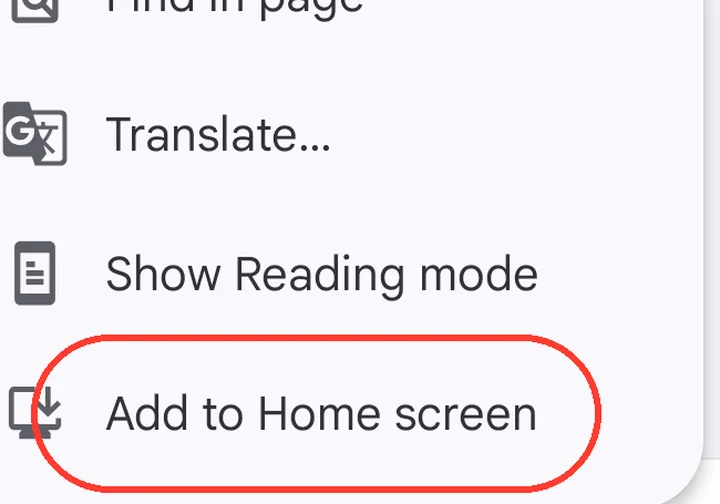
2Tap Add to Home screen
-
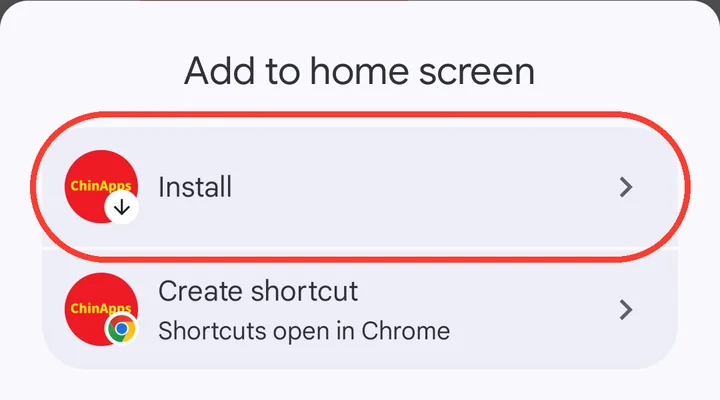
3Choose Install — not Create shortcut
-
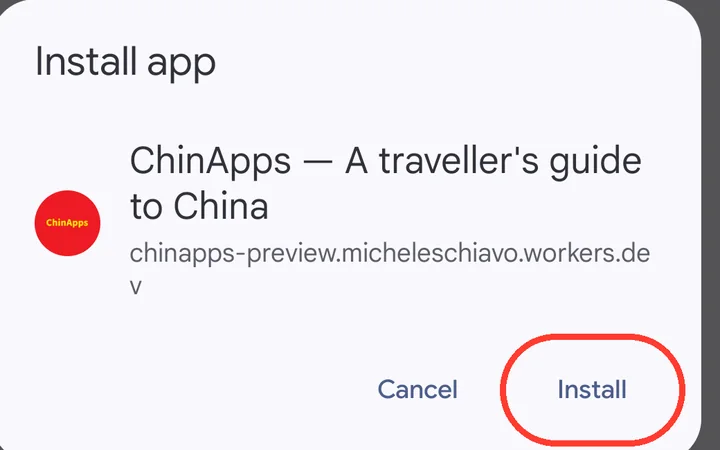
4Tap Install
-
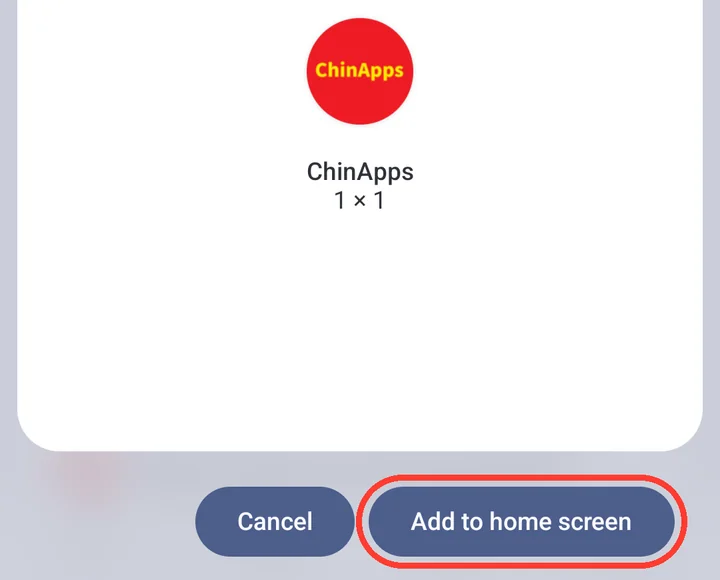
5If your phone asks, tap Add to home screen
-
6Done — find ChinApps on your home screen or in your app list

Do this before you fly. Open ChinApps once from the new icon while you still
have good internet, so everything is saved for offline use.
Having trouble?
- I can't find "Add to Home Screen"
- On iPhone, check you're in Safari. In the Share menu, tap View More — it's hidden below. On Android, the menu may say Install app instead.
- My saved cards are empty
- The installed app keeps its own storage. Fill in your address and medical cards inside the app, not in the browser.
- My phone was bought in China
- Use the phone's own browser and look for 添加到桌面 in its menu. It won't work inside WeChat — open the link in the browser first.